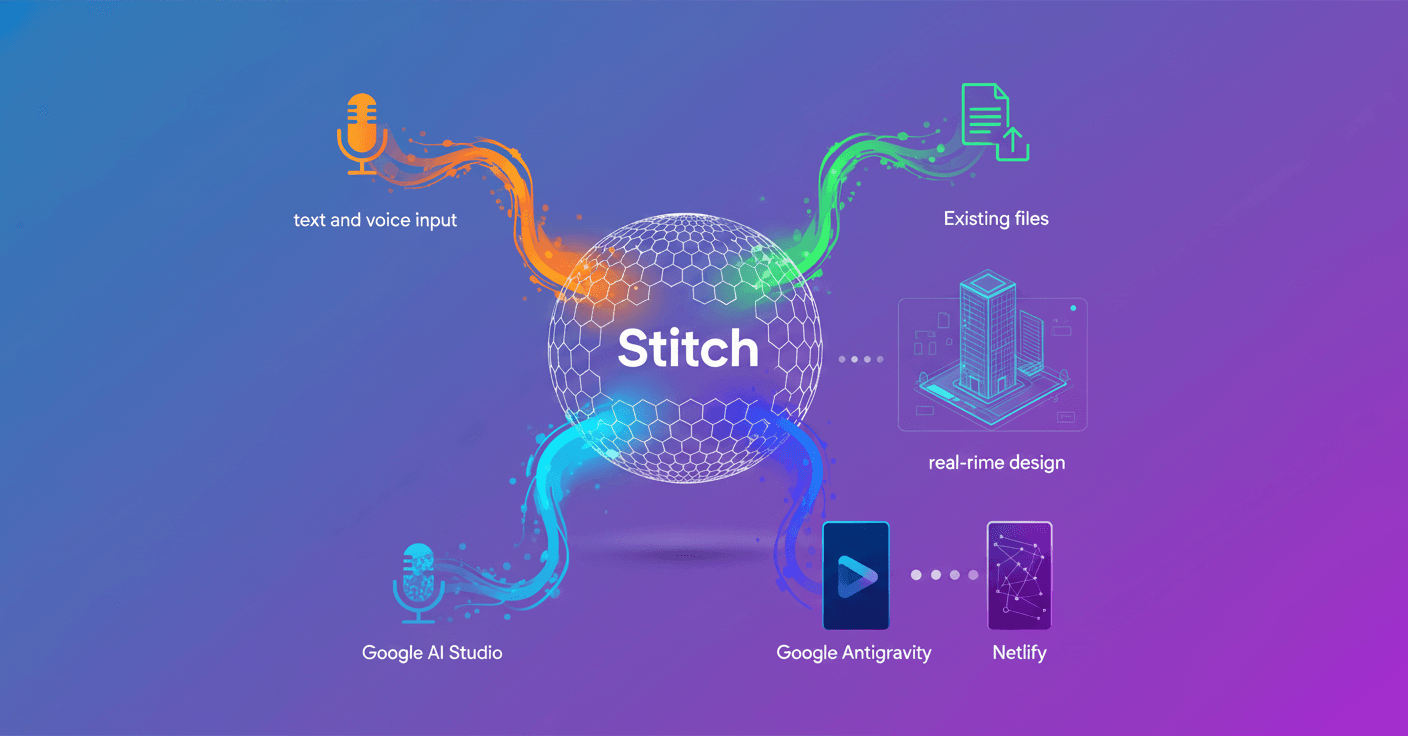
Today at Google I/O 2026, Google unveiled improvements to Stitch that turn design into a live collaboration between you and the Stitch Agent. Now you can design, watch the work generate instantly, and steer iterations in real time—whether with text, voice, or by bringing in code and existing design files.
What's in the update
These are the main additions that change how you create with Stitch:
-
Live work:
Stitchstreams its work directly onto the canvas; you see the changes as they happen. -
Collaborative agent: the
Stitch Agentacts like a design partner that executes your instructions and accepts corrections before the final version. -
Flexible inputs: you can start with a short text prompt, dictate by voice, or upload code and design files for
Stitchto use as a starting point. -
Share and ship: generate a shareable link from
Google AI Studioand, when you're ready, export screens toGoogle Antigravityto wire up backend logic or publish directly to the web withNetlify. -
Global availability: these updates are rolling out to users around the world starting today.
Seeing your design take shape on the canvas as you ask for it changes the dynamic: it’s no longer just versions, it’s a conversation.
How it feels to use it
Imagine you're designing a homepage for a product. You tell the agent: 'I want a big header, a free-trial button, and a testimonials section.' As you speak, the layout appears, your colors get applied, and the copy fills in. You don't wait for an export: you tweak spacing, change the tone of the copy, and the agent updates everything instantly.
For teams: forget sending files by email and waiting for reviews. A designer can prototype live while a developer watches how to export screens to Google Antigravity and connect endpoints. For solopreneurs or freelancers, the ability to publish quickly on Netlify shortens the time between idea and live site.
Why this matters now
Because it makes design more conversational and less fragmented. Instead of long feedback cycles and multiple exports, you get direct interaction with a tool that executes and adapts. That speeds up prototypes, reduces misunderstandings between design and development, and lets you iterate with clients in live sessions.
However, not everything is automatic: human judgment is still necessary for brand choices, accessibility, and final quality. Stitch accelerates the creative process, but the responsibility for the result stays with the human team.
How to get started today
- Access
Stitchfrom Google Labs or fromGoogle AI Studioif you already use that flow. - Try a short prompt or use your voice: feel the canvas update in real time.
- When you have a prototype ready, generate a shareable link to get quick feedback.
- If you're going to production, export to
Google Antigravityto integrate backend logic or publish onNetlifyto launch the web version.
Can you imagine presenting an idea to a client and having the design half ready by the end of the meeting? That's the promise: less friction, more exploration, and faster decisions.
Original source
https://blog.google/innovation-and-ai/models-and-research/google-labs/stitch-updates