What if your morning began with a calm glance instead of a bright screen filled with notifications? That’s the idea behind Glanceboard, an application created by Raph, a creative technologist at Google, to make family organization a simpler, more visual experience.
A family planner that appears on the wall
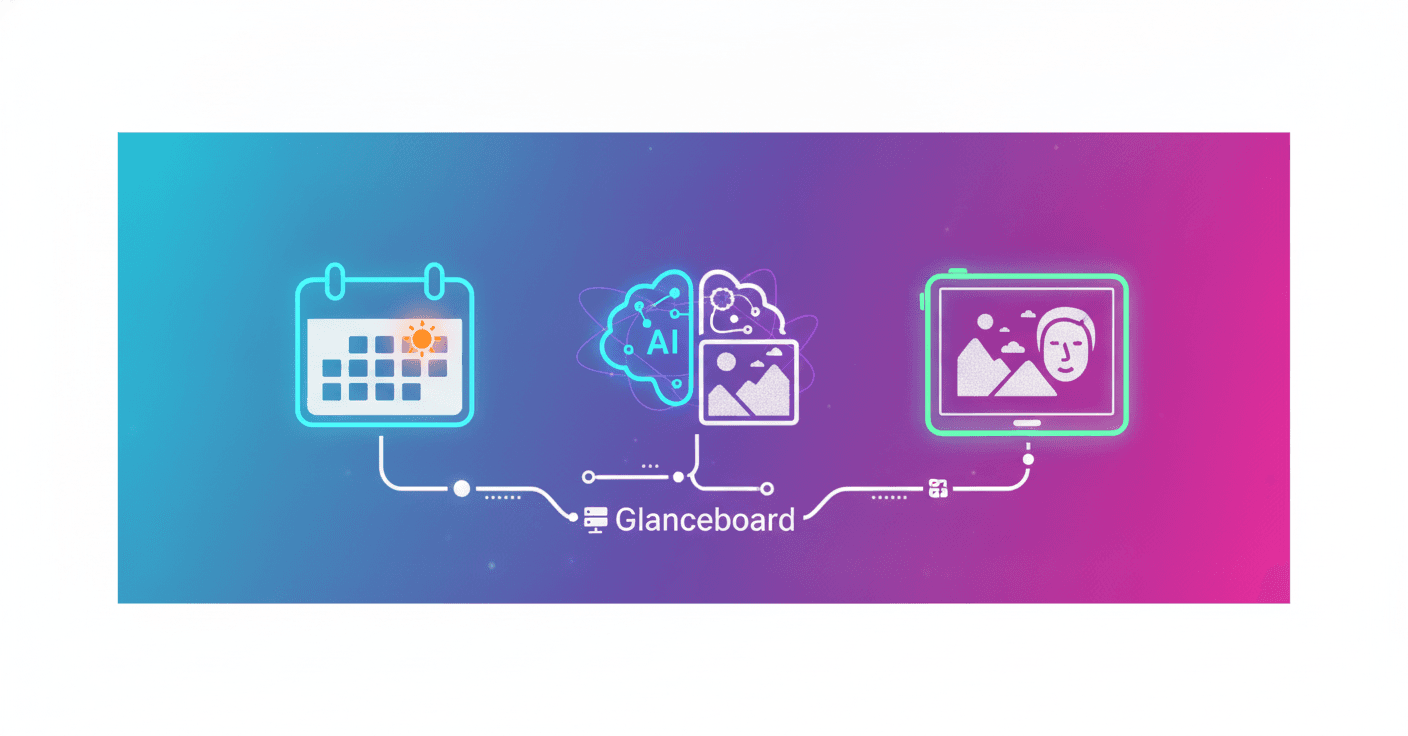
Every morning, Glanceboard checks the family’s Google Calendar and reviews the local weather forecast. Using that information, it prepares a quick view of the day: activities, schedules, recommended clothing, and items the children should bring.
The application uses Gemini 3.6 Flash and Nano Banana to generate a personalized illustration of Raph’s children dressed according to the weather. If rain is expected, for example, the image might show them wearing raincoats. If the day will be hot, the illustration can reflect lighter clothing.
The result appears on an electronic-ink display, similar to the one used by an e-reader. Because it does not emit the same intense light as a phone or tablet, the information can be checked more calmly at the start of the day.
The goal is not to add another screen to the routine, but to replace several scattered checks with one useful glance.
How Glanceboard’s architecture works
Glanceboard runs on a lightweight local server. This means the system can operate within the home network, without necessarily depending on a cloud account to display information on the device.
Its workflow combines several components:
- Google Calendar: provides the family’s events and commitments for the day.
- Local weather service: supplies the forecast that influences the clothing recommendation.
- Gemini 3.6 Flash: coordinates the generation and processing of the experience.
- Nano Banana: creates the children’s personalized illustration.
- Electronic-ink display: shows the result using little power and without intense illumination.
- Local server: connects the data and updates the board in the home.
Here’s an interesting technical idea: artificial intelligence does not have to live inside a chat application. It can also work as an invisible layer that transforms everyday data into an interface adapted to a specific family.
What it means to build an app with vibe coding
Raph describes Glanceboard as an application created through vibe coding. The term refers to building software with natural-language instructions so that an AI tool can generate, modify, and connect parts of the code.
This does not mean traditional programming has disappeared. Someone still needs to define the problem, review the logic, configure the services, and verify that the system works safely. The difference is that AI can speed up prototype creation and lower the initial barrier for people who are not expert developers.
In this case, Google says it is releasing the code so that other people can ask Google Antigravity to build a version of Glanceboard. The project also includes information about the hardware used, which is essential for anyone who wants to connect a local server to an electronic-ink display.
A small project with important decisions
Glanceboard highlights several useful principles for designing AI products:
- Context before conversation: the system uses the calendar and weather to offer a concrete response without requiring constant questions.
- Visual personalization: the generated image turns a task list into a signal that is easier for children to understand.
- An interface suited to the moment: an electronic-ink display is more consistent with a calm morning routine than a phone filled with alerts.
- Local processing: keeping part of the experience on a home server can improve control over data and reduce dependence on external services.
Of course, a project like this also requires reviewing calendar access permissions, protecting family information, and securing the local server. Just because an application is home-built does not mean these aspects should be ignored.
Useful AI does not always need to demand attention
Glanceboard does not try to replace all family planning or present a spectacular demonstration. Its value lies in solving a specific point of friction: knowing what will happen during the day and what to prepare before leaving home.
What if that is one of the most interesting ways to use AI? Not asking it to do something extraordinary, but allowing it to eliminate small moments of stress. A planner that understands context, an image that helps children get ready, and a screen that appears only when needed may be enough to change a routine.
The project also offers a lesson for entrepreneurs and developers: a good AI application can start with a very specific household problem. With today’s models, the challenge is no longer just building the technology, but deciding which information deserves to become a simple, human experience.