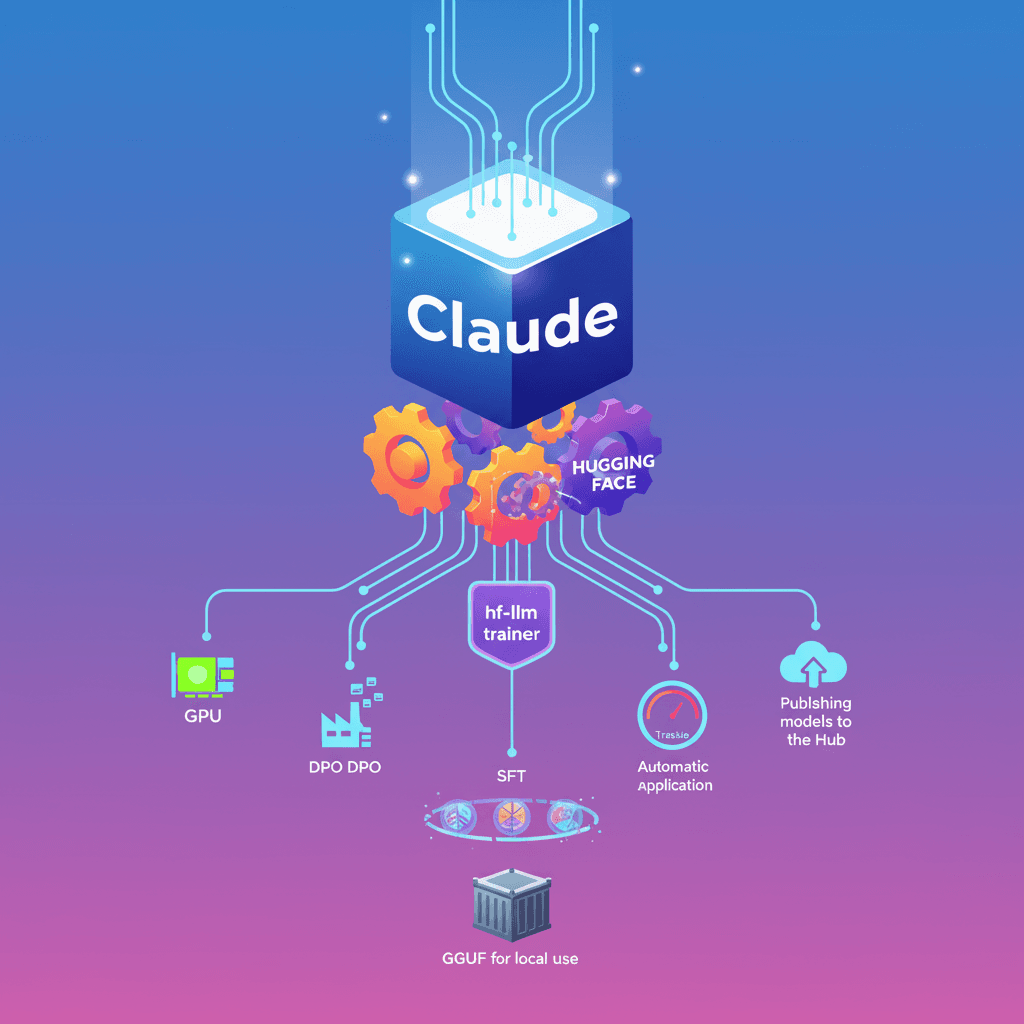
We gave Claude the ability to train language models using Hugging Face Skills. It's not just that it writes scripts: it can pick the GPU, send jobs to the cloud, monitor progress, and publish the finished model to the Hub. I'll explain how it works, when to use each training method, and what you need to do it yourself.
What the hf-llm-trainer skill does
The skill packages knowledge and scripts so a code agent like Claude Code (or Codex, or Gemini CLI) can run the full fine-tuning cycle. That includes:
- Dataset format validation.
- Automatic hardware selection based on model size.
- Generation and update of training scripts with monitoring (Trackio).
- Sending the job to Hugging Face Jobs and reporting the Job ID and estimated cost.
- Real-time follow-up and help debugging errors.
- Converting and pushing the final model to the Hugging Face Hub.
Result: you request in natural language and the agent orchestrates everything from the GPU to the final repository.
How it works: full flow with example
Asking for something simple like "Fine-tune Qwen3-0.6B on open-r1/codeforces-cots" triggers this flow:
- The agent validates the dataset and prepares a config.
- It selects appropriate hardware (for example
t4-smallfor 0.6B). - It shows the configuration and asks if you want it to submit.
- After your approval, it sends the job to Hugging Face Jobs and gives you the Job ID and estimated cost.
- You can ask for updates: the agent pulls logs and summarizes progress.
- When it finishes, the model appears on the Hub and you can load it with
transformers.
Example output after sending a job:
- Job ID: abc123xyz
- Monitor: https://huggingface.co/jobs/username/abc123xyz
- Metrics in Trackio: https://huggingface.co/spaces/username/trackio
And to load the model in Python:
model = AutoModelForCausalLM.from_pretrained("username/qwen-codeforces-cots-sft")
Training methods and when to use them
The skill supports three main approaches: SFT, DPO and GRPO. Knowing which to use makes a difference.
-
SFT (Supervised Fine-Tuning): start here. Use input-output example pairs. Good for customer support, code generation, and specific answer generation.
-
DPO (Direct Preference Optimization): train with "chosen" vs "rejected" pairs to align with human preferences. Useful after an SFT stage when you have preference annotations.
-
GRPO (Reinforcement with verifiable Rewards): apply when you can measure success programmatically (math problems, code execution tests). It's more complex but powerful for tasks with verifiable rewards.
The skill validates formats: for example DPO requires chosen and rejected columns (or a prompt with the input). If your dataset uses different names, the agent shows how to map them.
LoRA, model sizes and hardware recommendations
The skill automates using LoRA when needed. Practical rule:
- Models < 1B:
t4-smallis enough for demos and experiments. - 1B-3B:
t4-mediumora10g-smallfor longer runs. - 3B-7B: use
a10g-largeora100-largewith LoRA; the skill applies LoRA automatically to reduce memory. -
7B: not recommended with this Jobs flow; you need more specialized infra.
Indicative costs (depends on dataset and duration):
- Quick demo (0.5B): $0.3 - $2.
- Small model full run: $5 - $15.
- Medium with LoRA: $15 - $40.
Practical tip: always run a short test (for example 100 examples). A $0.50 experiment can save you a failed $30 run.
Dataset validation and error handling
The biggest source of failures is dataset format. The skill can run a quick CPU inspection and return a report:
- SFT: ✓ READY or ✗ INCOMPATIBLE
- DPO: checks
chosen/rejected
If column names don't match, the agent suggests code to transform the dataset and can even include that transformation in the training script.
Common errors and fixes the agent suggests:
- Out of memory: lower
batch_sizeor upgrade GPU. - Incompatible format: map columns or pre-clean the data.
- Timeout: increase duration or adjust
steps/epochs.
Real-time monitoring
The skill integrates Trackio by default. You can see loss, learning rate and validation metrics in a dedicated Space. Example query to the agent:
"How's my training job doing?"
Typical agent response:
- Job abc123xyz is running (45 min)
- Current step: 850/1200
- Training loss: 1.23 (↓ from 2.41)
- Learning rate: 1.2e-5
- Estimated time left: ~20 min
The advantage: asynchronous jobs. You close the terminal and come back later.
Conversion to GGUF and local deployment
When you want to run the model locally, the skill can merge LoRA adapters, convert to GGUF and apply quantization (for example Q4_K_M). Then it uploads the artifact to the Hub.
Example local usage with llama-server:
llama-server -hf username/my-model-gguf:Q4_K_M
Formats like GGUF let you use tools like llama.cpp, LM Studio or Ollama on local machines.
Integration with agents and requirements
Basic requirements:
- Hugging Face account with Pro or Team plan (Jobs requires a paid plan).
- Token with write permissions (
hf auth loginor exportHF_TOKEN=hf_your_write_access_token_here). - A code agent: Claude Code, OpenAI Codex, or Gemini CLI.
Installation and example of plugins / extensions:
- Register the plugin marketplace:
/plugin marketplace add huggingface/skills
- Install a skill:
/plugin install hf-llm-trainer@huggingface-skills
- With the Gemini CLI, install the extension locally:
gemini extensions install . --consent
or using the repo:
gemini extensions install https://github.com/huggingface/skills.git --consent
The repo includes AGENTS.md and gemini-extension.json to ease integrations.
Best practices, limits and safety
- Test with small data before production.
- Check checkpoints every certain number of steps (for example every 500) to avoid wasting time on early errors.
- Keep tokens in environment variables and don't store them in repos.
- Costs grow with model size; automating LoRA avoids many expenses in the 3B-7B range.
Important: although the agent automates many decisions, it's still your responsibility to confirm critical configurations (data privacy, usage policies and cost).
Training a model stops being an exclusive task for a large ML team: with these skills, a conversational flow can handle everything from dataset validation to final GGUF conversion. That doesn't remove the need for human oversight, but it lowers the technical barrier to experiment and produce quickly.